SKU:PIL0401
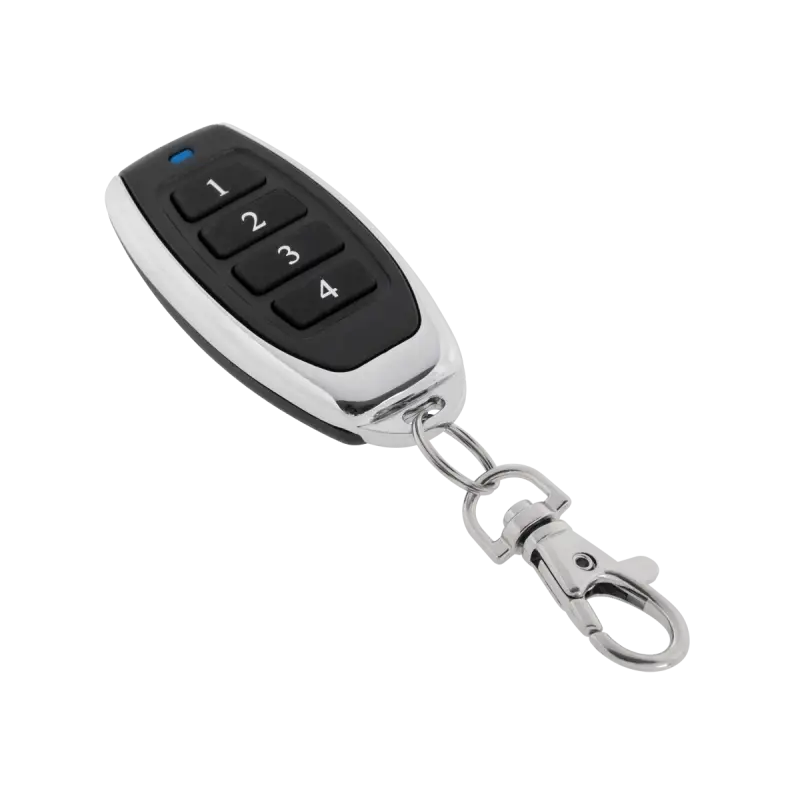
Image is for illustrative purposes only
Gate remote The PIL0401 replacement remote for the Nice Smilo remote is the perfect security measure for any sensible property owner.
The device will be very helpful in case of failure or loss of the original. Convenient to use, it does not require changing the radio.
Thanks to the helpful lanyard clip, there is no need to worry about losing it.
Sleek design and simple programming will ensure comfortable use for everyone.
Sleek design and simple programming will ensure comfortable use for everyone.
Replacement remote for: round, blue remotes.
Without the need to change the radio, the remote will work with any device supported by this system.
The remote should be programmed in the same way as the original remote:
1. Press the PIL0401 button you have chosen for operation and hold it for 5-6 seconds.
2. Press the SMILO working remote button three times in a sequential manner (hold the remote button for a second, pause for a second, hold the remote button for a second... etc.)
3. Then press the PIL0401 button for one second. After about 10 seconds, the remote will work.
Note: during programming, you should be within range of the receiver (close to the gate).
You can also program the remote directly to the radio receiver. To do this, press the learn button on the radio receiver for 1 second and then press the selected remote button for three seconds.
Without the need to change the radio, the remote will work with any device supported by this system.
The remote should be programmed in the same way as the original remote:
1. Press the PIL0401 button you have chosen for operation and hold it for 5-6 seconds.
2. Press the SMILO working remote button three times in a sequential manner (hold the remote button for a second, pause for a second, hold the remote button for a second... etc.)
3. Then press the PIL0401 button for one second. After about 10 seconds, the remote will work.
Note: during programming, you should be within range of the receiver (close to the gate).
You can also program the remote directly to the radio receiver. To do this, press the learn button on the radio receiver for 1 second and then press the selected remote button for three seconds.